
Surprising Ways Prolonged Gaming Impacts Your Posture
Prolonged gaming can be exciting and immersive, but it often comes with hidden costs for your body. Spending hours hunched over a keyboard, controller, or monitor can train your muscles and spine into unhealthy positions. What starts as a small ache in the neck, shoulders, or back can become a lasting problem if left unaddressed.
Many gamers don’t realize that sitting in a slouched or forward-leaning position for long periods can strain muscles, tighten the chest and shoulders, and put extra pressure on spinal discs. You’ll discover common posture mistakes, the short and long-term health risks of prolonged gaming, and practical strategies to sit, move, and play in a healthier way.
Common Posture Mistakes When Gaming
Many gamers don’t realize they are sitting in ways that can hurt their body. Poor posture can lead to pain, muscle strain, and long-term problems. This is true for all types of gaming, including competitive mobile gaming, where long hours spent looking down at a small screen can particularly strain the neck and shoulders.
1. Leaning Forward And Slouching
A common mistake is leaning toward the screen with rounded shoulders or a slouched back. This is sometimes called forward head posture or “tech neck.”
- Neck strain:When your ears are in front of your shoulders, your neck muscles have to work extra hard to hold your head up. Over time, this can make your neck tight and weak.
- Hunched back:Rolling your shoulders forward and slumping increases pressure on spinal discs, sometimes up to 150% of your body weight, and causes muscle imbalances.
2. Incorrect Keyboard, Mouse, Or Monitor Setup
The position of your keyboard, mouse, and monitor can also affect posture.
- Arm strain:If your arms or hands are too high or too low, it can cause shoulder, elbow, or wrist pain. Problems like “mouse shoulder” or carpal tunnel may develop over time.
- Neck strain:Looking down at a screen below eye level forces your neck into a bent position, which can be painful over long sessions.
3. Subtle Habits That Add Up
Even small habits can affect posture:
- Crossing your legs
- Leaning on one armrest
- Curling forward over a controller
These may seem minor but can create muscle imbalances and lead to back, hip, or shoulder discomfort.
4. What Good Gaming Posture Looks Like
A neutral, healthy posture helps protect your spine and muscles:
- Keep your lower back supported against the chair.
- Relax your shoulders and keep them down.
- Align your ears above your shoulders.
- Keep your feet flat on the floor and hips fully back in the seat.
Even short periods of poor posture, just 20-30 minutes, can make muscles tired and sore due to lactic acid buildup.
How Much Is Prolonged Gaming?
The term "prolonged gaming" doesn’t have a single definition because everyone’s tolerance is different. Factors like fitness level, natural posture, ergonomic setup, and even genetics all play a role. However, research gives some useful guidelines.
Gamers who play more than three hours a day have over five times the risk of developing musculoskeletal issues. This doesn’t mean that three hours is automatically safe for everyone or that going over three hours will always cause problems. It simply marks a point where the risk starts to rise significantly.
Even more important than total gaming time is how long you sit without moving. Your body handles breaks much better than uninterrupted sessions. Gaming for four hours with regular movement breaks is safer than two hours straight without repositioning. The main issue isn’t just the total time, but the strain from holding the same posture for too long.
As a practical guideline, any gaming session lasting 45 to 60 minutes without a postural break can be considered prolonged from a musculoskeletal perspective. Multiple sessions in a day can add up, even if each session is shorter than an hour.
The Health Consequences Beyond Aches And Pains
Gaming for long hours in poor posture affects more than your neck, back, or shoulders. The impacts can extend to your sleep, mood, circulation, and even long-term body structure. Understanding these risks helps you take action before minor discomfort becomes serious.
Chronic Pain And Reduced Quality Of Life
Sitting in poor posture during gaming increases pain in the neck, back, shoulders, and eyes. Over time, this discomfort can become chronic. Chronic pain affects sleep, focus, mood, and overall wellbeing.
Many gamers find themselves in a cycle: pain reduces performance, so they spend longer sessions trying to compensate, which worsens the pain. Poor posture also disrupts sleep, causing fatigue and irritability. Constant low-level pain quietly reduces your quality of life, even if you do not notice it immediately.
Nerve Compression And Neurological Symptoms
Bad posture can compress nerves, causing pain, numbness, or tingling in areas far from the original source. Thoracic outlet syndrome can pinch nerves between your collarbone and first rib, causing weakness in your arms. Cervical radiculopathy produces sharp pain, tingling, or numbness along nerve pathways in your neck and arms.
These are serious warning signs. Left untreated, nerve compression can lead to permanent nerve damage and loss of function.
Respiratory And Circulatory Impacts
Slouching compresses your chest cavity and reduces lung capacity. Shallow breathing lowers oxygen intake, affecting focus, reaction time, and endurance.
Poor posture also slows circulation, especially in the legs. Blood can pool in your lower extremities, increasing risks such as deep vein thrombosis during very long sessions. Your heart works harder, adding fatigue without obvious effort.
Eye Strain And Vision Problems
Long gaming sessions with improper screen height and poor lighting can cause digital eye strain, blurred vision, dry eyes, and headaches. Chronic eye strain may even affect depth perception and reaction times, which can impact gaming performance and daily activities.
Digestive And Metabolic Issues
Sitting for long periods compresses the abdomen, slowing digestion and increasing the risk of gastrointestinal discomfort. Sedentary habits combined with poor diet during gaming can contribute to weight gain, reduced metabolism, and long-term health risks like insulin resistance.
Mental Health Impacts
Extended gaming in poor posture can indirectly affect mental health. Chronic pain, poor sleep, and reduced physical activity can increase stress, anxiety, and mood swings. Gamers may experience social withdrawal or decreased motivation for non-gaming activities, creating a cycle of physical and mental strain.
Long-Term Structural Changes
For adolescents, poor posture during growth periods can alter spinal curves or cause uneven shoulder development. These changes may persist into adulthood.
Even adults are not immune. Years of poor posture stretch ligaments, wear joints unevenly, and can remodel bones over time. While some issues can be corrected, others may become permanent. Early attention and consistent posture care are essential to prevent long-term damage.
How To Create A Comfortable And Ergonomic Gaming Setup
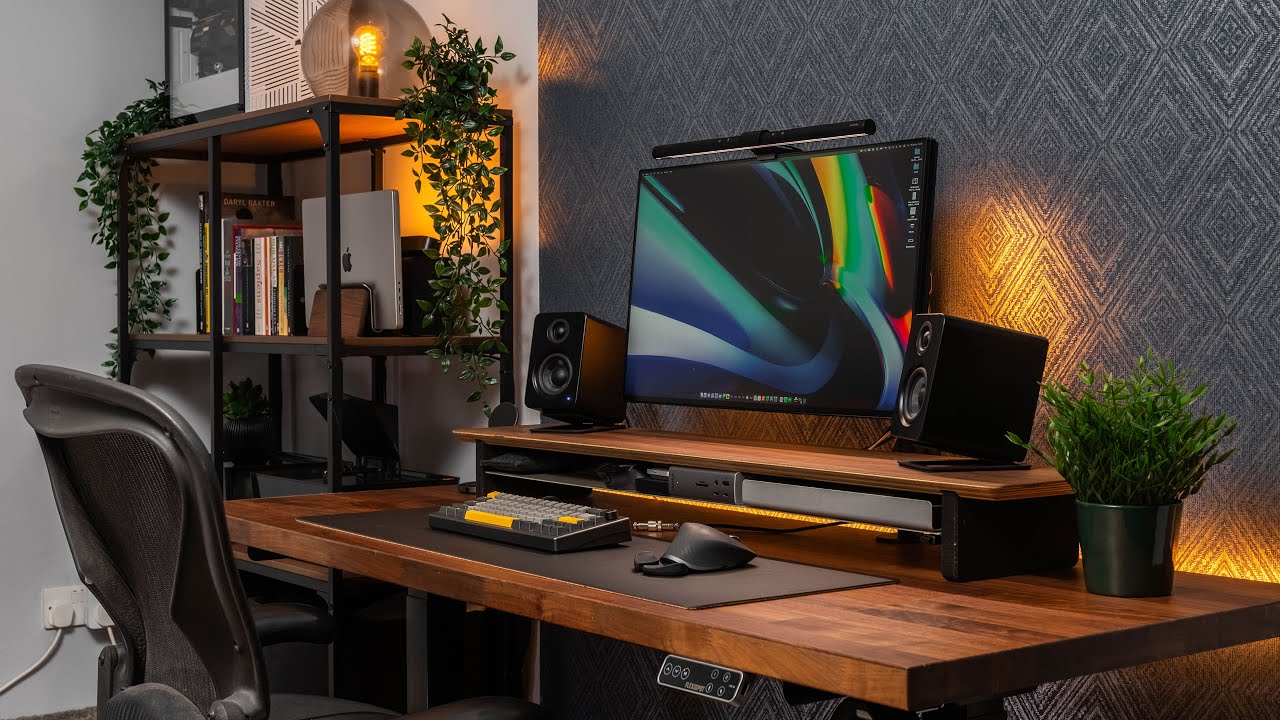
Spending long hours gaming can strain your neck, back, wrists, and eyes if your setup is not comfortable. Creating an ergonomic gaming station can help you play longer, reduce pain, and improve focus. Here is a simple guide to optimize your monitor, chair, keyboard, and lighting for better comfort and performance.
Monitor And Screen Position
Place your main monitor so the top third of the screen is at or just below eye level. This helps prevent neck strain. Keep the screen about an arm’s length away. It should be close enough to see clearly without leaning forward but far enough to reduce eye strain.
If you have multiple monitors, put your main screen directly in front of you. Position secondary screens so you only need a small head turn to see them. Tilt your monitor back 10 to 15 degrees to match your natural line of sight.
Choosing And Adjusting Your Gaming Chair
Pick a chair that supports the natural curve of your spine, especially your lower back. Adjust the seat height so your feet rest flat on the floor and your knees are bent at about 90 degrees. Your hips should sit slightly higher than your knees to ease pressure on your lower back.
The backrest should support your mid and lower back without pushing your shoulders forward. If your chair does not have good lumbar support, add a small pillow or rolled towel. Adjust armrests so your shoulders stay relaxed and your forearms are supported with wrists in a neutral position.
Keyboard, Mouse, And Controller Setup
Keep your keyboard centered in front of you. Your elbows should hang naturally at your sides and your wrists should remain straight or slightly extended. They should never bend upwards. Place your mouse at the same level as your keyboard. It should be close enough to avoid stretching your shoulder.
When using a controller, let your arms hang naturally without raising your shoulders. Support only your forearms for comfort. A slight downward tilt of your desk can help keep wrists in a neutral position, but some gamers prefer a flat surface. Test what feels most comfortable for long sessions.
Lighting And Eye Comfort
Bad lighting makes your eyes work harder and can make you lean closer to the screen. Use soft ambient light to reduce glare and prevent eye strain. Consider adding bias lighting behind your monitor to ease eye fatigue, especially at night. Match your monitor brightness to room lighting and use blue light filters in the evening to protect your sleep cycle.
Exercises And Stretches To Improve Gaming Posture
Corrective exercises are a great complement to ergonomic adjustments. Stretching and strengthening the muscles involved in posture can reduce tightness, correct imbalances, and improve comfort during long gaming sessions. Regular practice can also increase joint elasticity and mobility, making it easier to maintain proper posture while gaming.
1. Neck Stretches
Neck exercises help counter "tech neck":
- Chin tucks:Gently pull your head straight back, like making a double chin. This keeps your head aligned over your spine.
- Side stretches:Tilt your ear toward each shoulder and use your hand to gently deepen the stretch. Hold each side for 20–30 seconds and repeat.
2. Chest-Opening Stretch
Stand in a doorway, place your forearms on the frame at shoulder height, and lean forward until you feel a stretch across your chest. Hold for 20-30 seconds.
3. Shoulder Rolls And Shrugs
These movements relax stiff shoulders and upper traps:
- Shrugs:Lift your shoulders toward your ears and release.
- Rolls:Roll your shoulders back and down several times.
Do these anytime you feel tension building.
4. Thoracic Extension
If your upper back is rounded, these exercises can help:
- Doorway or wall stretch:Place your hands on a doorframe above your head and gently arch your upper back backwards.
- Seated roll:Use a rolled towel at mid-back and hinge back while seated.
Hold for a few seconds and repeat to mobilize the thoracic spine.
5. Core And Back Strengthening
Strong core and upper-back muscles support better posture:
- Planks or seated rows with a resistance band
- Wall angels: Stand with back against a wall and slide arms up and down
- Seated abdominal bracing:Pull your belly toward your spine during gaming breaks
6. Breaks And Movement
Taking frequent breaks helps reduce stiffness:
- Stand up every 30-60 minutes
- Stretch your neck, back, and legs
- Do quick exercises like chin tucks, shoulder rolls, arm swings, pacing, or a few jumping jacks
Even short bouts of movement improve blood flow and reset posture.
7. Tools And Professional Support
Some gamers benefit from extra guidance:
- Posture trainers:Wearables or apps that vibrate when you slouch
- Physical therapy or posture coaching:Professionals can give personalized advice
- Ergonomic checklists:Following a routine each session reinforces good habits
8. Consistency Is Key
Regularly performing these stretches and posture routines gradually improves alignment and reduces discomfort over time.
Developing Sustainable Gaming Habits
Spending long hours gaming can affect your posture, cause eye strain, and lead to discomfort if you do not take care of your body. Developing sustainable gaming habits is not just about reducing pain. It is a health and wellness skillthat improves your overall physical and mental wellbeing. Even simple habits like taking movement breaks or doing short stretches help make gaming sessions healthier.
The 20-20-20 Rule And Movement Breaks
Every 20 minutes of gaming, look at something 20 feet away for 20 seconds. This visual break reduces eye strain and helps prevent forward head posture caused by leaning toward your screen.
Take this idea further with full-body breaks. Every 45 to 60 minutes, stand up and move for 3 to 5 minutes. Walk around, stretch, or do light exercises. These breaks relieve pressure on your spine and allow muscles and joints to recover.
Use automatic reminders if you get caught up in intense gaming sessions. Many apps and operating systems have built-in break alerts to keep you on track.
Postural Awareness During Gameplay
Check your posture during natural breaks in your game, like loading screens, between matches, or respawn timers. Ask yourself: Are my shoulders up by my ears? Is my head leaning forward? Am I slouching?
Use these micro-moments to reset your position. Roll your shoulders back and down, tuck your chin slightly, and engage your core to keep your spine upright. At first, this may feel awkward, but it becomes a natural habit over time.
A small mirror or your webcam preview can help you check your side profile. Seeing yourself improves awareness and helps you correct posture faster.
Balancing Gaming With Physical Activity
Regular exercise is key to maintaining good posture while gaming. Strengthening your back muscles counteracts the forward-leaning posture gaming often creates.
Aim for at least 150 minutes of moderate exercise each week, focusing on activities that reverse gaming posture. Swimming, rowing, and climbing are especially helpful because they target muscles weakened by long gaming sessions.
Yoga and Pilates are excellent for improving flexibility and postural awareness. Even 15 to 20 minutes daily can make a noticeable difference in how your body handles long gaming sessions.
Progressive Intervention: When To Seek Professional Help
Some postural problems need professional attention. See a healthcare provider if you have persistent pain lasting weeks, numbness or tingling that does not go away, or worsening symptoms despite trying posture fixes.
Physical therapists can assess your posture and create targeted exercises. Chiropractors may help with joint restrictions affecting your posture. Ergonomic specialists can evaluate your gaming setup and suggest improvements you may not notice.
Frequently Asked Questions
Is It Possible To Fix Gamer Posture?
It is common for gamers to experience tightness and pain in the neck and surrounding areas, along with causing shoulders to round forward. To ease this problem, you can try out shoulder stretch so your shoulders are back in the correct position, reducing the risk of future problems with your spine and neck.
Is It Healthy To Stand While Gaming?
Standing while playing video games can help reduce the risks associated with prolonged sitting, such as back pain and poor posture. It may also improve circulation and keep gamers more attentive and engaged.
Are Gaming Posture Issues Worse For Younger Players?
Children and adolescents develop postural habits more quickly than adults, meaning poor gaming posture can become ingrained faster. However, younger bodies typically respond faster to corrective interventions and have greater natural resilience.
Does Gaming Posture Affect My Gaming Performance?
Poor posture reduces reaction time, decreases precision, and accelerates fatigue during competitive play. Many professional esports athletes work with performance coaches specifically to optimize their postural alignment because they recognize the competitive advantage proper ergonomics provides.
Conclusion
Gaming and posture don’t have to clash. You can enjoy long gaming sessions while taking care of your body. By moving regularly, changing your posture, and doing simple strengthening exercises, you can keep your muscles and spine strong for both gaming and everyday life.
Start with one or two small changes instead of trying to fix everything at once. Over time, these small habits add up, helping you avoid pain and stay physically healthy.
If these tips help you, share them with your gaming friends. Raising awareness about good posture can create healthier gaming habits for everyone.